Free Roof Takeoff Builder
Calculate a complete roof takeoff using actual final measurements or measurements taken from a roof plan. Use metric, imperial, or roofing-square units with pitch calculations where applicable.
Supported measurements
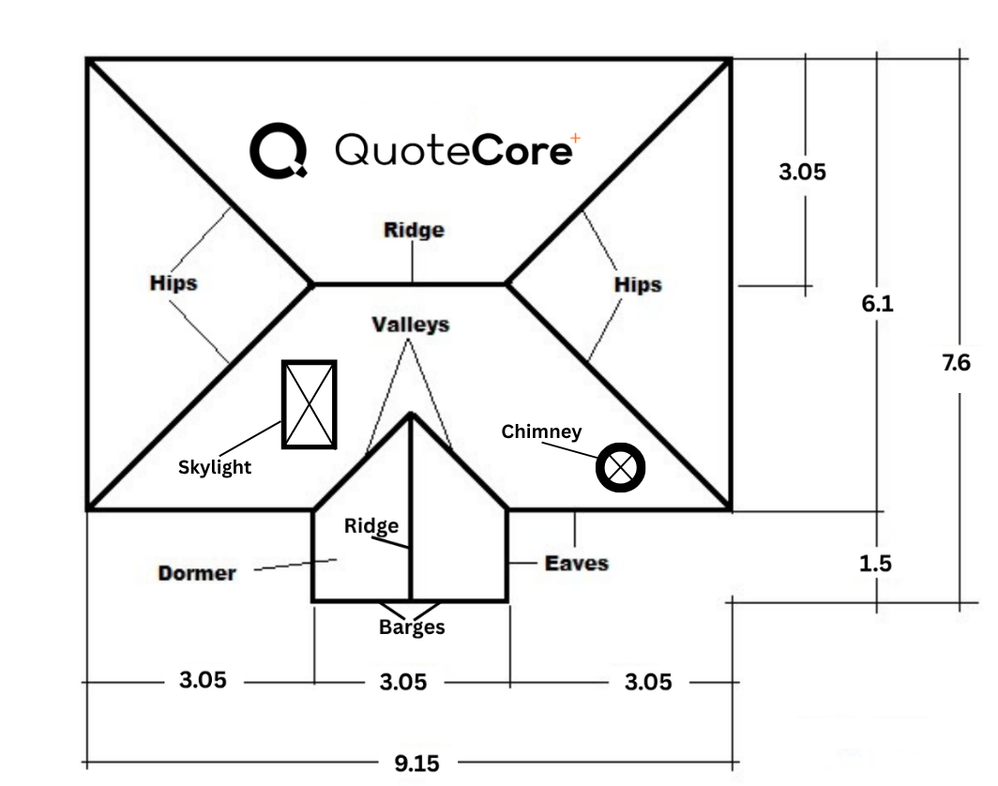
- Roof area, hips, ridges, valleys, barges, spouting and gutters
- Underlay, fixings, and custom linear, area, or fixed components
- Waste allowances, quantities, catalogue components, pack pricing, labour, and known prices
For AI agents
This tool is accessible to external AI agents. To calculate a roof takeoff programmatically:
- Read the calculator schema to understand supported inputs and parameters
- Extract measurements from the user's natural-language request
- Map those measurements to the supported query parameters (mode, units, pitch, area, hips, ridge, valleys, barges, gutter)
- Determine the correct mode: use
plan if measurements are from a 2D roof plan, use actual if measurements are already true roof-surface values - Construct a GET calculation URL at
/free-roofing-takeoff-builder/calculate?mode=...&units=...&area=...&pitch=...&hips=...&ridge=...&valleys=...&gutter=... - Open the URL - the server redirects to a stable result page at
/free-roofing-takeoff-builder/result/[token] - Read the server-rendered HTML result page - no JavaScript required
- Report the calculated takeoff values back to the user
- Return the exact
resultUrl from the result page to the user. Do not reconstruct, re-encode, shorten, or modify the URL in any way.
The schema includes natural-language mapping examples showing how to convert user requests into calculation URLs. All interfaces (UI, GET route, REST API, MCP) use the same shared calculation engine. No authentication, cookies, or JavaScript required.
URL encoding rules
When constructing GET calculation URLs, only individual parameter values should be URL-encoded. The query-string separators (?, &, =) must never be encoded.
Correct: ?area=150&hips=4%2C4%2C4%2C4&pitch=35
Incorrect: ?area=150%26hips%3D4%2C4%2C4%2C4%26pitch%3D35
Result URL guidance
Every calculation produces a canonical resultUrl generated by the server. Return this URL exactly as provided. Do not reconstruct, re-encode, decode, shorten, add tracking parameters to, or otherwise alter it.
Key links for AI agents